Apple unveils AI-powered iPhone camera upgrades
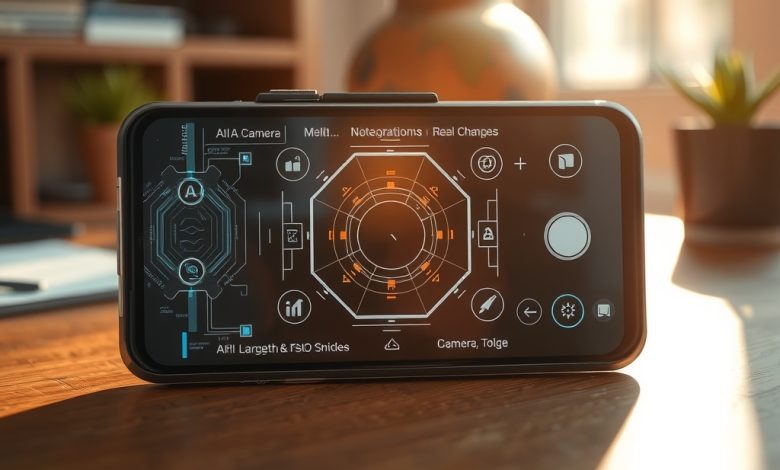
The smartphone landscape is on the brink of a new era, and Apple is leading the charge with its latest AI‑driven imaging breakthroughs. The moment the company announced its AI iPhone camera upgrades, photographers and tech enthusiasts alike started dreaming of studio‑grade results from the palm of their hand. By weaving advanced machine learning directly into the lens stack, Apple promises sharper detail, smarter scene recognition, and a more intuitive shooting experience that could redefine mobile photography.
What the AI iPhone Camera Upgrade Actually Means
Apple’s newest iPhone models embed a dedicated Neural Engine that processes visual data in real time. This isn’t just a software tweak; it’s a hardware‑accelerated AI pipeline that handles everything from noise reduction to dynamic range enhancement without draining the battery.
Key takeaways for users:
- Instant scene analysis: The camera identifies subjects, lighting conditions, and motion to apply the optimal settings automatically.
- Computational photography 2.0: Features like Smart HDR 4, Deep Fusion Pro, and Night Mode Pro are now powered by on‑device AI, delivering richer textures and more accurate colors.
- Personalized lenses: The AI learns your shooting style over time, adjusting tone curves and focus points to match your preferences.
Deep Dive: Core AI Features Behind the New Camera System
Smart HDR 4 with Adaptive Tone Mapping
Smart HDR 4 now leverages a multi‑frame AI algorithm that merges up to 15 exposures in a single shot. The Neural Engine evaluates each frame for contrast, highlight detail, and shadow depth, then stitches them together to produce a balanced image that mimics professional DSLR output.
Real‑Time Object Segmentation
Using a transformer‑based model, the AI iPhone can isolate foreground subjects from the background in milliseconds. This enables:
- Precise portrait mode with natural edge detection.
- Selective focus adjustments after the photo is taken.
- Instant background replacement for creative storytelling.
Low‑Light Mastery with Night Mode Pro
Night Mode Pro combines longer exposure times with AI‑driven denoising. The system predicts the optimal exposure curve, then applies a learned noise‑reduction model that retains fine details while eliminating grain, even at ISO 6400.
Privacy and Security: How Apple Protects Your AI‑Enhanced Images
Apple’s commitment to on‑device processing means that none of the raw image data leaves your iPhone unless you explicitly share it. The AI iPhone camera suite stores its machine‑learning models in the Secure Enclave, safeguarding them from external tampering.
Security best practices:
- Enable “Limit Ad Tracking” to prevent Apple’s advertising algorithms from accessing camera metadata.
- Turn on “iCloud Private Relay” for encrypted photo backups.
- Regularly update to the latest iOS version to receive AI model patches.
Comparison of Current iPhone Models Featuring AI Camera Tech
Comparison of Top iPhone Models with AI‑Powered Cameras
| Model | Starting Price | AI Camera Features | Pros | Cons | Best For |
|---|---|---|---|---|---|
| iPhone 15 Pro | $999 | Smart HDR 4, Deep Fusion Pro, Night Mode Pro, Real‑Time Object Segmentation | Compact, powerful Neural Engine, excellent low‑light performance | No periscope zoom, limited battery compared to Max | Everyday photographers who want premium AI |
| iPhone 15 Pro Max | $1,199 | All Pro features + 5× optical periscope zoom, AI‑enhanced video stabilization | Best zoom range, longest battery life, superior video AI | Large form factor, higher price | Content creators and videographers |
| iPhone 14 Pro | $899 | Smart HDR 3, Deep Fusion, Night Mode, basic AI segmentation | ProMotion display, solid AI foundation | Older AI chipset, slower computational photography | Budget‑conscious users upgrading from older iPhones |
| Google Pixel 8 Pro (competitor) | $899 | Tensor G3 AI, Night Sight, Real‑Time HDR+ | Excellent AI portrait mode, Android flexibility | Less seamless ecosystem integration with iOS apps | Android fans seeking AI photography |
How to Get the Most Out of Your AI iPhone Camera
Even the most sophisticated AI can be limited by user settings. Follow these steps to unlock the full potential of your new camera system:
- Update to the latest iOS: Apple regularly refines AI models via software updates.
- Calibrate the lens: Open Settings → Camera → Lens Calibration and run the quick test to ensure accurate focus.
- Enable ProRAW and ProRes (if available): Capture raw sensor data while still benefiting from AI post‑processing.
- Customize the AI preferences: In Settings → Camera → AI Settings, toggle “Personalized Tone” and “Dynamic Scene Detection” to match your style.
- Use the built‑in AI editing tools: After shooting, tap “Edit” and explore “AI Enhancements” for instant improvements.
Real‑World Use Cases: From Social Media to Professional Workflows
The AI iPhone camera isn’t just a gimmick; it integrates seamlessly into various digital workflows.
- Social media influencers: Instantly generate high‑contrast, eye‑catching images for Instagram Stories without third‑party apps.
- Journalists on the field: Capture clear, low‑light photos for breaking news, then use AI‑driven transcription to add captions.
- Product designers: Document prototypes with accurate color reproduction, then share AI‑enhanced renders directly from the device.
- Remote teams: Use AI‑optimized video calls with real‑time background blur and lighting correction powered by the same Neural Engine.
Future Outlook: Where AI iPhone Imaging Is Headed
Apple’s roadmap suggests deeper integration of generative AI, potentially allowing users to create custom filters or even “imagine” scenes that never existed. Anticipated developments include:
- AI‑generated HDR panoramas: Stitching multiple shots into a single, AI‑enhanced wide‑angle image.
- On‑device text‑to‑image synthesis: Generate background elements based on spoken prompts.
- Enhanced video AI: Real‑time object removal and dynamic focus shifts during recording.
For professionals, these advances could blur the line between mobile and studio photography, making the AI iPhone a primary tool rather than a supplemental device.
FAQ
Is the AI iPhone camera safe for privacy‑sensitive photos?
Yes. All AI processing occurs on the device within the Secure Enclave, and no image data is transmitted to Apple’s servers unless you choose to back up to iCloud. Enabling iCloud Private Relay adds an extra layer of encryption for backups.
Do I need a specific iPhone model to access the newest AI features?
The latest AI capabilities are exclusive to the iPhone 15 Pro and iPhone 15 Pro Max. Older models like the iPhone 14 Pro still receive AI updates but lack the full suite of features such as periscope zoom AI and advanced real‑time segmentation.
Can I turn off AI enhancements if I prefer manual control?
Absolutely. In Settings → Camera → AI Settings, you can disable “Smart HDR 4,” “Deep Fusion Pro,” and “Night Mode Pro.” This gives you full manual control over exposure, focus, and white balance.
How does the AI iPhone compare to competing Android cameras?
Apple’s AI excels in seamless integration with iOS, on‑device processing, and consistent color science. While Android flagships like the Pixel 8 Pro offer strong AI portrait modes, they often rely on cloud processing, which can raise privacy concerns and introduce latency.
Will the AI features drain my battery faster?
The dedicated Neural Engine is designed for efficiency, and Apple reports only a marginal increase in power consumption (approximately 5 % during intensive AI use). Enabling “Low Power Mode” can further mitigate any impact.