Best AI Photo Editing Apps for Stunning Images
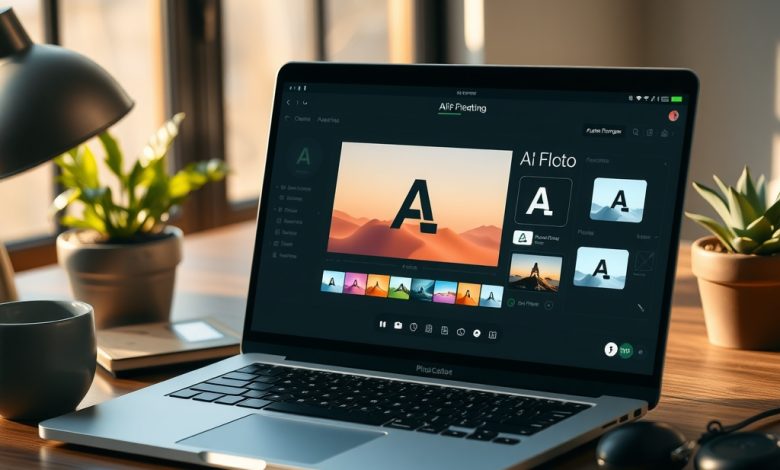
The world of digital imaging has taken a quantum leap thanks to the rapid rise of AI photo apps, which now turn ordinary snapshots into gallery‑ready masterpieces with a single tap. Whether you’re a social‑media influencer chasing the perfect aesthetic, a small‑business owner needing polished product shots, or a hobbyist looking to experiment with creative filters, these intelligent tools are reshaping how we edit, enhance, and share images. In this guide we’ll break down the most compelling AI photo apps on the market, explore their standout features, and show you how to pick the right solution for your workflow while keeping data privacy front‑and‑center.
Why AI Photo Apps Are Transforming Image Editing
Artificial intelligence has moved beyond simple auto‑enhance algorithms to understand content, style, and intent. Modern AI photo apps can detect faces, separate foreground from background, and even apply artistic styles that mimic famous painters—all in real time. This shift means users no longer need hours of manual tweaking in complex desktop suites; instead, they get professional‑grade results on a smartphone or laptop within seconds.
Key benefits driving adoption include:
- Speed: Batch processing and one‑click enhancements cut editing time dramatically.
- Accessibility: No steep learning curve—most apps are designed for beginners while still offering depth for pros.
- Consistency: AI ensures uniform color grading and tone across large photo sets.
- Cost‑effectiveness: Subscription models often undercut the price of traditional Photoshop licenses.
As AI continues to learn from billions of images, the accuracy and creativity of these tools will only improve, making AI photo apps an essential part of any modern visual workflow.
Key Features to Look for in AI Photo Apps
When evaluating AI photo apps, focus on functional capabilities that align with your editing goals. Below are the most critical features to consider:
- Content‑aware editing: Ability to identify subjects, remove objects, and replace backgrounds intelligently.
- Style transfer and artistic filters: Options to apply cinematic color grades, painterly effects, or retro looks powered by deep learning.
- Batch processing: Tools that let you apply the same adjustments to multiple images simultaneously.
- RAW support: Compatibility with RAW files for maximum detail retention.
- Layer & mask capabilities: Advanced control for compositing and selective edits.
- Cross‑platform sync: Seamless transition between mobile, web, and desktop environments.
- Privacy controls: Transparent data handling policies, on‑device processing, and end‑to‑end encryption.
Prioritizing these attributes ensures you select an AI photo app that delivers both creative freedom and technical reliability.
Top 5 AI Photo Editing Apps Reviewed
1. Luminar Neo
Luminar Neo combines a powerful AI engine with a desktop‑grade interface, making it ideal for photographers who demand precision. Its Sky AI and Structure AI tools automatically enhance landscapes, while the Portrait AI smooths skin and adjusts lighting without a plastic look.
- Pros: Deep customization, robust RAW handling, frequent feature updates.
- Cons: Higher learning curve than mobile‑only apps; desktop‑focused.
- Best For: Professional photographers and serious hobbyists.
2. Adobe Photoshop Camera
Adobe’s mobile‑first offering leverages the same AI technology behind Photoshop’s Sensei engine. It provides real‑time lens effects, auto‑tone, and a growing library of generative AI filters that can create entirely new compositions from a single click.
- Pros: Seamless integration with Creative Cloud, extensive filter library.
- Cons: Requires an Adobe subscription for full feature set.
- Best For: Users already invested in the Adobe ecosystem.
3. Snapseed (with AI enhancements)
Google’s Snapseed remains a free powerhouse, now enriched with AI‑driven tools like Healing and Selective Adjust. While not a full‑blown AI studio, its on‑device processing respects privacy and delivers impressive results without a subscription.
- Pros: Free, no data sent to the cloud, strong manual controls.
- Cons: Limited AI creativity compared to paid competitors.
- Best For: Budget‑conscious creators who value privacy.
4. Prisma Photo Editor
Prisma pioneered AI‑style transfer, turning photos into artwork inspired by Van Gogh, Picasso, and modern digital aesthetics. Its latest version adds background removal and AI‑enhanced portrait retouching, making it a versatile creative playground.
- Pros: Unique artistic filters, easy to use, frequent new styles.
- Cons: Subscription required for premium filters; occasional rendering lag.
- Best For: Social media influencers and artists seeking eye‑catching visuals.
5. Remini – AI Photo Enhancer
Remini focuses on restoration, using AI to upscale low‑resolution images, recover details, and reduce noise. It’s particularly useful for old family photos, scanned documents, or any situation where image quality is compromised.
- Pros: Exceptional upscaling, quick processing, free daily credits.
- Cons: Limited editing beyond enhancement; watermarks on free version.
- Best For: Users needing image restoration rather than creative styling.
Comparison of Leading AI Photo Apps
| App | Starting Price | AI Feature | Platform | Pros | Cons | Best For |
|---|---|---|---|---|---|---|
| Luminar Neo | $49 (one‑time) or $8/mo | Sky/Structure/Portrait AI | Windows, macOS | Deep customization, RAW support | Desktop‑centric, steeper learning curve | Professional photographers |
| Adobe Photoshop Camera | Free (premium filters $9.99/mo) | Generative AI filters | iOS, Android | Creative Cloud sync, vast filter library | Limited without subscription | Adobe ecosystem users |
| Snapseed | Free | AI Healing, Selective Adjust | iOS, Android, Web | No cloud data, powerful manual tools | Less AI creativity | Privacy‑focused creators |
| Prisma Photo Editor | $7.99/mo | AI Style Transfer | iOS, Android | Unique artistic filters, easy UI | Subscription for premium, occasional lag | Social media influencers |
| Remini | Free (premium $4.99/mo) | AI Upscaling & Restoration | iOS, Android, Web | Excellent detail recovery, quick | Watermark on free, limited editing | Image restoration needs |
Pricing Models and Subscription Tips
AI photo apps employ a variety of pricing structures, from one‑time purchases to tiered subscriptions. Understanding these models helps you avoid hidden costs and choose a plan that scales with your usage.
- Freemium: Basic features are free; premium filters or higher resolution exports require a paid upgrade (e.g., Snapseed, Remini).
- Monthly/Annual Subscriptions: Most AI‑heavy apps like Luminar Neo and Prisma charge recurring fees, often with discounts for annual commitments.
- One‑Time Licenses: Desktop‑focused solutions may offer perpetual licenses, which can be more cost‑effective for long‑term users.
Tips for optimizing spend:
- Start with free trials to evaluate AI quality and workflow fit.
- Check if the app offers a family or team plan—many provide multi‑user discounts.
- Look for seasonal promotions; AI photo apps frequently run Black Friday or back‑to‑school sales.
- Consider your export needs: if you rarely need 4K output, a lower‑tier plan may suffice.
Privacy, Security, and Data Handling in AI Photo Apps
Because AI photo apps often process images in the cloud, users must be vigilant about data privacy. Here’s what to examine before trusting an app with your photos:
- On‑Device vs. Cloud Processing: Apps like Snapseed keep all edits local, while others (e.g., Adobe Photoshop Camera) upload images for AI inference. On‑device processing reduces exposure but may limit AI sophistication.
- Data Retention Policies: Review how long the provider stores your images. Some services delete files after processing; others keep them for analytics.
- Encryption: End‑to‑end encryption during upload and at rest protects against interception.
- Permissions: Restrict unnecessary app permissions—avoid granting access to contacts or location unless essential.
- Compliance: Look for GDPR, CCPA, or ISO‑27001 compliance if you handle sensitive or client‑related images.
Implementing best practices—such as disabling auto‑upload, regularly clearing cache, and using a VPN when editing on public Wi‑Fi—adds an extra layer of security.
Future Trends in AI Photo Editing
The next wave of AI photo apps will likely blur the line between editing and creation. Anticipated developments include:
- Generative Fill: AI that can intelligently add or remove objects based on contextual cues, similar to Photoshop’s “Generative Fill” beta.
- Real‑Time 3D Integration: Apps that understand depth maps from dual‑camera phones, enabling realistic background swaps and AR‑enhanced filters.
- Personalized AI Models: User‑trained models that learn your aesthetic preferences, delivering custom style suggestions.
- Zero‑Shot Editing: Descriptive prompts (“make this portrait look like a golden hour sunset”) that the AI interprets without preset filters.
- Enhanced Privacy Tech: Federated learning approaches that improve AI without sending raw images to servers.
Staying ahead means regularly updating your toolkit and experimenting with beta features, ensuring you reap the benefits of cutting‑edge AI while maintaining control over your visual assets.
Frequently Asked Questions
Is it safe to let AI photo apps access my personal photos?
Safety depends on the app’s data handling policies. Choose apps that offer on‑device processing or clear, short‑term cloud storage, use encryption, and comply with privacy regulations such as GDPR. Always read the privacy policy and consider disabling auto‑upload features.
Which AI photo app offers the best value for professional photographers?
For professionals seeking depth and RAW support, Luminar Neo provides a robust feature set with a one‑time purchase option, making it cost‑effective over time. However, those already invested in Adobe’s ecosystem may find Photoshop Camera’s integration more valuable.
Can I use AI photo apps on a low‑end Android phone?
Yes, but performance varies. Apps that rely heavily on cloud processing (e.g., Adobe Photoshop Camera) work on modest hardware, while on