Top AI Photo Editing Apps for Stunning Images
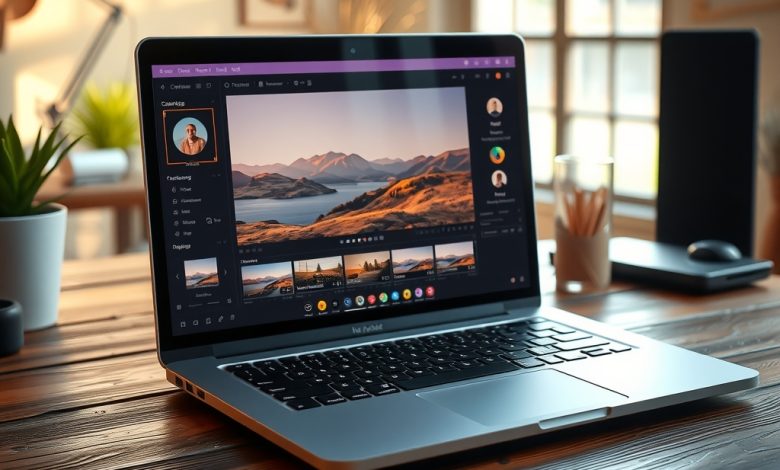
The way we enhance and share images has been turned upside down by the rapid rise of artificial intelligence. Today, AI photo apps can turn a bland snapshot into a magazine‑ready masterpiece with a single tap, saving hours of manual retouching. Whether you’re a social‑media influencer, a freelance designer, or just someone who wants to make family photos look spectacular, the right AI‑powered tool can be a game‑changer. In this guide we’ll explore the most powerful AI photo apps on the market, break down their core features, and show you how to pick the perfect solution for your creative workflow.
What Makes an AI Photo App Worth Your Time?
Before diving into specific recommendations, it’s important to understand the criteria that separate a gimmicky filter from a professional‑grade editor. The best AI photo apps combine advanced machine‑learning models with a user‑friendly interface, robust privacy safeguards, and flexible pricing that scales with your needs.
- Automation depth: Does the app handle basic adjustments (exposure, contrast) as well as complex tasks like sky replacement or portrait relighting?
- Customization options: Can you fine‑tune the AI suggestions, or are you locked into a single preset?
- Cross‑platform availability: Desktop, web, iOS, Android – where do you need to edit?
- Data privacy: Does the app store your images on the cloud, and if so, how are they encrypted?
- Pricing model: Subscription, one‑time purchase, or freemium with meaningful limits?
Keeping these factors in mind will help you evaluate each AI photo app objectively and avoid costly subscription traps.
Top AI Photo Apps for Stunning Images
Below is a curated list of the leading AI photo apps that consistently deliver high‑quality results while respecting user privacy. Each app is examined through the lens of the criteria above, with real‑world use cases to illustrate how they fit into different creative pipelines.
Adobe Photoshop Camera (Free + Premium)
Adobe’s Photoshop Camera brings the power of its flagship desktop suite to mobile devices, using AI to suggest lenses and effects in real time.
- Key AI features: Sky replacement, portrait relighting, auto‑tone, and style transfer.
- Best for: On‑the‑go creators who need quick, Instagram‑ready edits without a laptop.
- Privacy note: Images are processed locally when possible; cloud processing is optional and encrypted.
Lensa AI (Subscription)
Lensa AI focuses on portrait enhancement, offering skin smoothing, background blur, and artistic filters powered by deep neural networks.
- Key AI features: Face‑retouch, eye‑enhancement, background replacement, and a library of AI‑generated art styles.
- Best for: Influencers and content creators who need flawless selfies and portrait shots.
- Pricing: $7.99/month after a 7‑day free trial.
Pixelmator Pro (One‑Time Purchase)
Pixelmator Pro is a macOS‑only powerhouse that blends traditional editing tools with AI‑driven enhancements like ML Super‑Resolution and automatic object removal.
- Key AI features: Upscaling up to 8×, background eraser, smart color adjustments.
- Best for: Professional photographers who prefer a desktop environment with a one‑off cost.
- Privacy note: All processing occurs locally; no cloud upload required.
Remove.bg (Freemium + Enterprise)
Specialized in background removal, Remove.bg uses AI to isolate subjects from any image within seconds.
- Key AI features: Automatic background detection, batch processing via API.
- Best for: E‑commerce sellers and marketers who need clean product shots.
- Pricing: 40 free credits per month; paid plans start at $0.20 per image.
Prisma Photo Editor (Free + Premium)
Prisma transforms photos into artwork inspired by famous painters using neural style transfer.
- Key AI features: Over 300 artistic filters, custom style creation.
- Best for: Artists and social media users seeking unique visual aesthetics.
- Pricing: Free with ads; premium subscription $4.99/month removes ads and unlocks high‑resolution exports.
DeepImage AI (Web & API)
DeepImage focuses on upscaling and enhancing image quality with minimal loss, ideal for web designers and marketers.
- Key AI features: 4× and 8× upscaling, noise reduction, JPEG artifact removal.
- Best for: Web developers who need fast, high‑quality image optimization.
- Pricing: Free tier (5 images/month); paid plans start at $9/month.
Comparison of Top AI Photo Apps
Feature Matrix for Quick Decision‑Making
| App | Platform | Starting Price | AI Highlights | Pros | Cons | Best For |
|---|---|---|---|---|---|---|
| Adobe Photoshop Camera | iOS / Android | Free (Premium add‑ons) | Real‑time sky swap, style transfer | Instant previews, integrates with Adobe ecosystem | Limited desktop features | Mobile creators |
| Lensa AI | iOS / Android | $7.99/mo | Portrait retouch, background blur | Polished UI, excellent skin smoothing | Subscription‑only | Influencers & selfie lovers |
| Pixelmator Pro | macOS | $39.99 (one‑time) | ML Super‑Resolution, object removal | All‑local processing, no recurring fees | Mac‑only, steep learning curve | Professional photographers |
| Remove.bg | Web / API | $0.20/img | Background removal, batch API | Fast, accurate, API integration | Cost adds up with high volume | E‑commerce & marketing |
| Prisma Photo Editor | iOS / Android | Free / $4.99/mo | Neural style transfer, custom filters | Creative filters, easy to use | Watermark on free version | Social media artists |
| DeepImage AI | Web / API | $9/mo | 8× upscaling, noise reduction | High‑quality results, API ready | Limited free quota | Web designers & marketers |
Integrating AI Photo Apps into Your Creative Workflow
Choosing the right AI photo app is only half the battle; you also need a smooth process that maximizes productivity while safeguarding your assets.
- Capture with intent: Shoot in RAW or the highest resolution your device allows. AI upscaling can only do so much if the source file is low quality.
- Batch preprocessing: Use tools like Remove.bg or DeepImage AI to clean up large image sets before fine‑tuning individual photos.
- Apply AI enhancements: Run portrait‑focused apps (Lensa AI, Photoshop Camera) on faces, then switch to a desktop editor (Pixelmator Pro) for color grading and compositing.
- Export with the right settings: Choose sRGB for web, AdobeRGB for print, and retain a lossless master file (TIFF or PNG) for archival.
- Archive securely: Store originals and edited versions in an encrypted cloud service (e.g., Sync.com) or an encrypted external drive.
By structuring your workflow around these steps, you’ll reduce redundant edits and keep your creative pipeline efficient.
Security and Privacy Considerations for AI Photo Apps
AI photo apps rely heavily on cloud processing, which raises legitimate concerns about data ownership and privacy. Here are best practices to keep your images safe while still enjoying AI convenience.
- Read the privacy policy: Look for clauses that state images are not stored longer than necessary and that they are encrypted in transit and at rest.
- Prefer local processing: Apps like Pixelmator Pro keep all work on your device, eliminating the risk of server breaches.
- Use two‑factor authentication (2FA): Enable 2FA on any account that syncs photos to the cloud (e.g., Adobe Creative Cloud).
- Limit permissions: Only grant access to your photo library when you’re actively editing; revoke permissions afterward.
- Consider watermarking: If you’re sharing edited images publicly, add a subtle watermark to protect intellectual property.
Adopting these safeguards ensures that the convenience of AI does not come at the expense of your digital privacy.
Future Trends: Where AI Photo Editing Is Headed
The next wave of AI photo apps will likely blur the line between editing and creation, offering features that were once the domain of professional studios.
- Generative fill: Imagine selecting an empty area in a photo and having the AI generate realistic scenery that matches lighting and perspective.
- Real‑time video enhancement: AI will move from static images to live video streams, enabling on‑the‑fly color grading for livestreams.
- Personalized AI models: Users may train custom models on their own photo libraries, resulting in a unique editing style that reflects their brand.
- Enhanced privacy layers: End‑to‑end encrypted processing pipelines that keep data on‑device while still leveraging powerful cloud inference.
Staying aware of these trends will help you future‑proof your toolkit and adopt new capabilities as they become mainstream.
Frequently Asked Questions
Is it safe to upload my personal photos to AI photo apps?
Most reputable AI photo apps encrypt data during transfer and store images only temporarily for processing. However, always review the provider’s privacy policy and prefer apps that offer local processing if you handle sensitive content.
Which AI photo app offers the best value for a freelance designer?
Pixelmator Pro provides a one‑time purchase with a robust set of AI tools, making it cost‑effective for designers who prefer a desktop workflow without recurring fees.
Can I use AI photo apps on a low‑end Android phone?
Yes, but performance varies. Apps like Adobe Photoshop Camera are optimized for mobile, while more intensive tools (e.g., Lensa AI) may run slower on older hardware. Check system requirements before installing.
Do AI photo apps respect copyright when using generated content?
Generated content is typically owned by the user, but some platforms claim a license to use the output for promotional purposes. Review the terms of service to ensure you retain full rights.
How do I integrate AI photo apps with my existing cloud storage?
Most apps support direct export to services like Google Drive, Dropbox, or iCloud. Set up automatic syncing in the app’s settings and enable 2FA on your cloud account for added security.