Best AI Photo Editors for Creators 2024

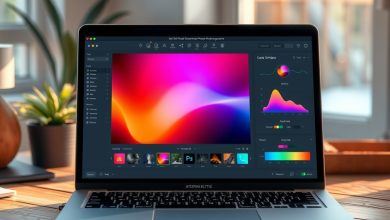
The creative landscape is being reshaped at breakneck speed, and nowhere is that more evident than in the realm of image editing. With AI photo editors now capable of turning a raw snapshot into a polished masterpiece in seconds, creators of all skill levels can focus more on storytelling and less on tedious manual adjustments. Whether you’re a freelance photographer, a social‑media manager, or a hobbyist looking to up your visual game, leveraging the right AI photo editors can dramatically boost productivity while preserving artistic intent.
Why AI Photo Editors Are Transforming Creative Workflows
Artificial intelligence has moved beyond novelty filters and into sophisticated, context‑aware editing. Modern AI photo editors analyze image content, recognize subjects, and apply adjustments that would traditionally require a seasoned retoucher. This automation reduces the time spent on repetitive tasks such as background removal, color correction, and noise reduction, allowing creators to iterate faster and meet tight deadlines.
Beyond speed, AI brings consistency. Algorithms learn from millions of professional edits, ensuring that the output aligns with industry standards. For agencies handling large batches of assets, this means a uniform look across campaigns without the need for manual quality checks.
Key Features to Evaluate in AI Photo Editors
Choosing the right tool goes beyond a glance at the price tag. Below are the essential capabilities that separate the market leaders from the rest.
AI‑Powered Enhancements
- Content‑aware fill & background removal: Seamlessly isolate subjects without manual masking.
- One‑click style transfer: Apply cinematic looks or artistic filters generated by deep learning models.
- Smart upscaling & denoising: Preserve detail while enlarging images or reducing grain.
User Interface & Workflow Integration
- Intuitive drag‑and‑drop canvas that mirrors familiar desktop editors.
- Plugin support for Adobe Photoshop, Lightroom, and popular cloud storage services.
- Batch processing capabilities for handling hundreds of files in a single queue.
Privacy & Data Security
AI photo editors often process images in the cloud, raising concerns about data ownership and confidentiality. Look for tools that provide:
- End‑to‑end encryption during upload and download.
- Clear data retention policies—ideally, no storage of images after processing.
- Compliance with GDPR, CCPA, and other regional privacy regulations.
Top AI Photo Editors for Creators in 2024
We’ve tested a range of platforms on real‑world projects, from e‑commerce product shots to editorial photography. Here’s a concise overview of each contender.
Adobe Firefly
Adobe’s entry into generative AI, Firefly integrates directly with Photoshop and Illustrator. Its strength lies in text‑to‑image generation and style‑preserving edits, making it a favorite for designers who need quick concept visualizations.
Luminar Neo
Skylum’s Luminar Neo uses a layered AI engine to handle sky replacement, portrait retouching, and structure enhancement in a single click. The desktop app offers a non‑destructive workflow that appeals to professional photographers.
Topaz Photo AI
Topaz focuses on AI upscaling and noise reduction, delivering studio‑grade results even on low‑resolution files. Its stand‑alone application is lightweight and can be used as a plug‑in for major editors.
Canva Magic Edit
Canva’s cloud‑based Magic Edit provides a browser‑only experience, perfect for marketers and social‑media creators who need rapid turnarounds without installing software. Features include background eraser, auto‑color correction, and template‑driven layouts.
Picsart AI
Picsart combines AI filters with a robust mobile app, allowing creators to edit on‑the‑go. Its community‑driven templates and AI‑generated stickers make it ideal for short‑form video and TikTok content.
Comparison of Leading AI Photo Editors
Feature‑by‑Feature Breakdown
| Product/Tool | Starting Price | Key Feature | Pros | Cons | Best For |
|---|---|---|---|---|---|
| Adobe Firefly | $19.99/mo | Text‑to‑image generation | Deep integration with Creative Cloud; industry‑standard UI | Requires Adobe ecosystem; higher learning curve | Design agencies & pro editors |
| Luminar Neo | $79 one‑time | AI sky & portrait tools | Non‑destructive workflow; fast rendering | Desktop only; limited plugin support | Freelance photographers |
| Topaz Photo AI | $99 one‑time | AI upscaling & denoise | Exceptional detail preservation; lightweight | Focused mainly on upscaling; fewer creative filters | Product photographers |
| Canva Magic Edit | Free / $12.99/mo Pro | Browser‑based quick edits | Zero‑install; collaborative templates | Limited advanced controls; reliance on internet | Social‑media managers |
| Picsart AI | Free / $7.99/mo Premium | Mobile AI filters & stickers | Fast mobile workflow; community assets | Desktop features are basic; ads in free tier | Influencers & short‑form creators |
Pricing, Plans, and Value for Creators
Understanding the cost structure is crucial, especially for freelancers juggling multiple subscriptions. Most AI photo editors offer a tiered approach:
- Free or trial versions: Good for testing basic features but often watermarked.
- Monthly subscriptions: Provide continuous updates and cloud processing credits.
- One‑time perpetual licenses: Ideal for creators who prefer a single upfront payment and offline capability.
When evaluating value, consider the total cost of ownership (TCO). For instance, Adobe Firefly’s $19.99/mo may seem steep, but when bundled with Photoshop, Lightroom, and cloud storage, the combined ROI can outweigh a $79 one‑time purchase of Luminar Neo if you need the full Creative Cloud suite.
Best Practices for Secure and Efficient Use of AI Photo Editors
Even the most powerful AI photo editors can become a liability if not used responsibly. Follow these guidelines to protect your assets and maintain workflow efficiency.
Secure Your Image Data
- Enable two‑factor authentication (2FA) on all cloud‑based editing platforms.
- Prefer tools that offer end‑to‑end encryption for uploads.
- Regularly review and delete processed images from the provider’s servers if they are not needed for future use.
Optimize Your Workflow
- Batch‑process similar images to take advantage of AI’s consistent output.
- Use non‑destructive layers whenever possible; this allows you to revert AI changes without losing original data.
- Integrate AI edits with existing DAM (Digital Asset Management) systems to keep metadata intact.
Stay Informed About AI Ethics
AI photo editors can inadvertently introduce bias or alter the authenticity of images. Keep a transparent record of AI‑generated modifications, especially for journalistic or legal use cases. When in doubt, retain a copy of the untouched original and disclose any AI enhancements to stakeholders.
Future‑Proof Your Toolkit
AI technology evolves rapidly. Choose platforms that provide regular model updates, open APIs, and a roadmap for new features. This ensures you won’t be forced into a costly migration when a better algorithm becomes available.
Leverage Community Resources
Many AI photo editors host user forums, tutorial libraries, and preset marketplaces. Engaging with these communities can uncover hidden shortcuts, custom presets, and real‑world case studies that accelerate your mastery of the tool.
Monitor Performance Metrics
Track key performance indicators (KPIs) such as time‑saved per edit, output quality scores (e.g., PSNR for upscaled images), and client satisfaction ratings. Quantifying the impact of AI photo editors helps justify the expense and guides future software decisions.
Integrate with Automation Platforms
Combine AI photo editors with Zapier, Integromat, or native APIs to automate repetitive tasks like uploading finished assets to cloud storage, notifying team members, or triggering downstream publishing workflows.
Regularly Update Software
AI models improve with each update. Schedule monthly checks for patches, especially those addressing security vulnerabilities or data‑privacy enhancements.
Backup Your Originals
Even the most reliable AI tools can produce unexpected results. Maintain a versioned backup system—either local NAS or a secure cloud bucket—to ensure you can always revert to the source material.
Test Before Scaling
Before rolling out AI photo editors across an entire team, conduct a pilot project. Measure accuracy, speed, and user satisfaction, then refine the rollout plan based on feedback.
Maintain Legal Compliance
When editing images that contain identifiable individuals, verify that your use of AI complies with consent requirements and image‑rights laws in your jurisdiction.
Conclusion
AI photo editors are no longer a futuristic add‑on; they’re a core component of modern creative pipelines. By carefully evaluating features, pricing, and security, creators can select the solution that maximizes productivity while safeguarding their brand’s integrity. Whether you opt for Adobe Firefly’s powerful generative capabilities, Luminar Neo’s intuitive desktop experience, or Canva’s collaborative ease, the right AI photo editor will empower you to produce stunning visuals faster than ever before.
Frequently Asked Questions
Is it safe to upload my client photos to cloud‑based AI photo editors?
Most reputable services employ SSL/TLS encryption and offer options to delete files after processing. Look for platforms that provide clear data‑retention policies and comply with GDPR or CCPA. Enabling two‑factor authentication adds an extra layer of protection.
Which AI photo editor offers the best value for a freelance photographer?
For freelancers focused on high‑quality retouching without a subscription commitment, Luminar Neo’s one‑time $79 license provides robust AI tools and a non‑destructive workflow, delivering strong ROI compared to recurring fees.
Can I use AI photo editors on mobile devices?
Yes. Apps like Picsart AI and Canva Magic Edit are optimized for iOS and Android, allowing on‑the‑go editing with AI‑driven filters, background removal, and template integration.
Do AI photo editors retain ownership of my edited images?
Ownership policies vary. Most platforms state that you retain full rights to the output, but it’s essential to read the terms of service. Avoid tools that claim a license to use your images for training their models unless you’re comfortable with that arrangement.
How do I ensure consistent color grading across a batch of photos?
Use the batch processing feature of tools like Adobe Firefly or Topaz Photo AI, applying