How AI-Powered Photo Editors Transform Your Mobile Images
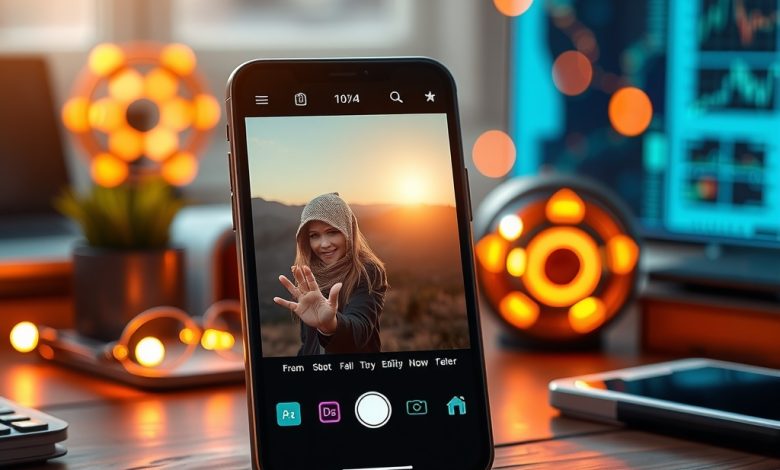
The smartphone camera has become the default tool for capturing life’s moments, but raw images often need a professional touch to truly shine. Enter the era of ai photo editors, where machine‑learning algorithms instantly enhance colors, remove distractions, and even re‑imagine compositions—all from the palm of your hand. As AI models grow more sophisticated, mobile users can now achieve DSLR‑level results without leaving the app. This shift not only speeds up the editing workflow but also democratizes high‑quality visual storytelling for creators, marketers, and casual snap‑shooters alike.
Why AI Photo Editors Are Changing Mobile Photography
Artificial intelligence has moved beyond simple filters; modern ai photo editors analyze each pixel, recognize subjects, and apply context‑aware adjustments. The result is a seamless blend of creativity and automation that reduces the learning curve traditionally associated with desktop editing suites. Users no longer need to manually tweak exposure, contrast, or saturation—AI does the heavy lifting, allowing more time for composition and storytelling.
Key drivers behind this transformation include:
- Rapid advances in deep‑learning models that can understand scene semantics.
- On‑device processing power that eliminates the need for cloud uploads, preserving privacy.
- Integration with mobile operating systems, enabling one‑tap edits directly from the photo gallery.
Key Features to Look for in AI Photo Editors
Not every app that claims AI capabilities delivers the same value. When evaluating a mobile editor, focus on these essential features to ensure you get the best return on your investment.
Intelligent Object Selection and Masking
Advanced AI can isolate subjects—people, pets, or objects—with pixel‑perfect accuracy. Look for tools that let you refine selections, replace backgrounds, or apply effects to just the foreground without manual masking.
One‑Tap Enhancements
Features like “Auto‑Enhance” or “Magic Fix” analyze the image and apply a balanced set of adjustments. The best editors let you preview before committing and offer a “undo” stack for fine‑tuning.
Style Transfer and Artistic Filters
Neural style transfer applies the look of famous paintings or cinematic color grades to your photos. Choose apps that provide a diverse library of styles and allow custom intensity controls.
Batch Processing
For content creators handling large photo libraries, batch editing saves hours. The ideal AI editor should support bulk uploads, apply consistent edits, and export in multiple formats.
Privacy‑First Architecture
Since AI models often require data to learn, ensure the app processes images locally or uses end‑to‑end encryption for any cloud‑based features. Look for clear privacy policies and the option to delete stored data.
Top AI Photo Editors for Android and iOS
The market is crowded, but a handful of apps consistently outperform the rest in accuracy, speed, and user experience. Below is a curated list of the most reputable ai photo editors available today.
Comparison of Leading AI Photo Editors
| App | Platform | Starting Price | Key AI Feature | Pros | Cons | Best For |
|---|---|---|---|---|---|---|
| Adobe Photoshop Camera | iOS, Android | Free (in‑app purchases) | Generative AI lenses | Extensive filter library, seamless Adobe ecosystem integration | Some features require Adobe ID; occasional ads | Casual creators who already use Adobe products |
| Pixelmator Photo | iOS | $4.99 (one‑time) | Machine‑learning auto‑enhance & selective color | Offline processing, powerful RAW support | No Android version; limited batch tools | iPhone photographers seeking professional‑grade edits |
| Snapseed (Google) | iOS, Android | Free | AI‑driven perspective correction & HDR | Completely free, no ads, robust toolset | Interface can feel dated; no subscription perks | Budget‑conscious users who need solid basics |
| Remini | iOS, Android | $9.99/mo | AI upscaling & detail restoration | Impressive low‑resolution enhancement, quick results | Heavy reliance on cloud; privacy concerns for sensitive images | Users needing to improve old or blurry photos |
| Lensa AI | iOS, Android | $7.99/mo | Portrait retouch, background blur, skin smoothing | Intuitive UI, fast on‑device processing | Limited artistic filters; subscription required for full suite | Social‑media influencers focused on portrait perfection |
Pricing Models and Subscription Tips
AI photo editors adopt a variety of monetization strategies, from one‑time purchases to tiered subscription plans. Understanding these models helps you avoid surprise charges and select the most cost‑effective option for your workflow.
- Free with In‑App Purchases: Ideal for occasional users. You can test core features before deciding to buy premium filters or cloud storage.
- One‑Time Purchase: Offers lifetime access without recurring fees. Look for apps that provide regular updates to keep the AI models current.
- Monthly/Annual Subscriptions: Best for power users who need frequent updates, batch processing, and exclusive AI models. Annual plans often include 15‑20% savings.
When subscribing, consider these practical tips:
- Take advantage of free trials—most premium editors offer a 7‑day test period.
- Check if the subscription includes cross‑platform sync; this is crucial if you switch between Android and iOS devices.
- Review the cancellation policy. Some services lock you into a minimum term.
- Assess the value of cloud storage. If you regularly edit high‑resolution RAW files, a plan with generous cloud space may justify the cost.
Privacy, Data Security, and Ethical Considerations
AI‑driven apps process personal images, raising legitimate concerns about data handling. Here’s how to safeguard your visual content while enjoying the benefits of AI enhancements.
- Local Processing: Prefer editors that run AI models on the device. This eliminates the need to upload photos to remote servers, reducing exposure to data breaches.
- End‑to‑End Encryption: If cloud features are essential (e.g., backup or collaborative editing), verify that the provider encrypts data both in transit and at rest.
- Transparent Privacy Policies: Look for clear statements about data retention, third‑party sharing, and the ability to delete your data permanently.
- Ethical AI Use: Some apps offer “deep‑fake” style transformations. Use these responsibly and respect the consent of subjects in your photos.
For enterprise or professional use, consider deploying a Mobile Device Management (MDM) solution that enforces app permissions and restricts data exfiltration.
Future Trends: What’s Next for AI Photo Editing on Mobile
The rapid evolution of generative AI suggests that today’s “auto‑enhance” tools are just the tip of the iceberg. Upcoming trends likely to shape the next generation of ai photo editors include:
- Real‑Time AR Filters with Contextual Awareness: Future editors will understand scene depth and lighting to apply realistic AR overlays without manual adjustments.
- Multi‑Modal Editing: Combining text prompts with visual edits, allowing users to type “make the sky sunset orange” and have the AI execute the change instantly.
- Cross‑App AI Collaboration: AI models that can share learned preferences across different editing apps, creating a unified personal style profile.
- Energy‑Efficient On‑Device Models: Optimized neural networks that deliver high‑quality results while preserving battery life, crucial for 5G‑enabled smartphones.
- Enhanced Accessibility Features: AI-driven captions, alt‑text generation, and visual impairment assistance built directly into photo editors.
Staying ahead of these developments means regularly updating your apps, experimenting with beta features, and keeping an eye on AI research breakthroughs from leading labs such as OpenAI, Google Brain, and Meta AI.
Frequently Asked Questions
Is it safe to use AI photo editors that process images in the cloud?
Cloud‑based editors can be safe if they employ end‑to‑end encryption and have a transparent privacy policy. However, for highly sensitive images—such as confidential documents or personal IDs—choose an app that offers fully offline processing to keep data on your device.
Which mobile device offers the best performance for AI photo editing?
High‑end smartphones with dedicated AI accelerators (e.g., Apple A16 Bionic, Qualcomm Snapdragon 8 Gen 2) deliver the fastest on‑device processing. If you prioritize AI editing speed, select a device released within the last two years that advertises a neural engine or tensor core.
Can AI photo editors replace professional desktop software?
For everyday enhancements and social‑media content, AI editors are often sufficient. However, complex compositing, color grading for print, or large‑format RAW workflows still benefit from desktop suites like Adobe Photoshop or Capture One.
How do I protect my photos from unwanted AI manipulation?
Enable app permissions that restrict background access to your photo library. Regularly review which apps have “Read and Write” rights, and revoke access for any that you no longer use. Additionally, watermark your images before sharing them publicly.
Do AI photo editors respect copyright when using generated content?
Most reputable editors use licensed models and do not claim ownership of your edited images. Nevertheless, always read the terms of service to confirm that the provider does not retain rights to use your photos for training purposes without consent.