Top AI Photo Editing Apps to Transform Your Images

The world of visual content is being reshaped at lightning speed, and nowhere is that more evident than in the rise of AI photo apps that promise to turn ordinary snapshots into polished masterpieces with a single tap. Whether you’re a social‑media influencer chasing the next viral look, a small business owner needing professional‑grade graphics on a shoestring budget, or simply someone who loves to experiment with creative filters, the power of artificial intelligence is now at your fingertips. In this deep dive we’ll explore the most compelling AI photo apps, break down their core capabilities, and help you decide which tool aligns best with your workflow, privacy expectations, and budget.
Why AI Photo Apps Are Redefining Image Editing
Traditional photo editing software required a steep learning curve, manual adjustments, and often expensive licenses. AI photo apps have democratized the process by automating complex tasks—such as background removal, portrait retouching, and style transfer—through machine‑learning models trained on millions of images. This shift not only saves time but also opens up advanced editing to users without a design background.
- Speed: What once took minutes of manual tweaking can now be completed in seconds.
- Consistency: AI algorithms apply the same standards across batches of photos, ensuring uniform branding.
- Accessibility: Mobile‑first designs let you edit on‑the‑go, directly from your smartphone or tablet.
However, the convenience comes with trade‑offs. Data privacy, subscription fatigue, and the occasional “over‑processed” look are real concerns that savvy users need to weigh.
Key Features to Evaluate Before Choosing an AI Photo App
When scouting for the perfect AI photo app, focus on the functional pillars that matter most to your use case. Below is a checklist to guide your decision‑making process.
- AI Model Transparency: Does the provider disclose whether the model runs on‑device or in the cloud? On‑device processing can reduce data exposure.
- Editing Suite Breadth: Look for tools like sky replacement, AI‑driven color grading, and one‑click portrait enhancement.
- Batch Processing: Essential for marketers who need to edit dozens of product images quickly.
- Export Options: Support for RAW, PNG, SVG, and high‑resolution JPEG ensures flexibility across platforms.
- Integration Capability: APIs or plug‑ins for Adobe Creative Cloud, WordPress, or e‑commerce platforms streamline workflows.
- Pricing Structure: Tiered plans, free trials, and per‑image pricing models affect long‑term cost.
- Privacy & Security: End‑to‑end encryption, GDPR compliance, and clear data‑retention policies protect your images.
Top AI Photo Apps Reviewed
1. Luminar Neo – AI‑Powered Desktop Editing
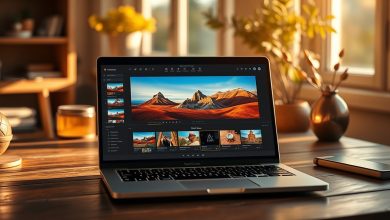
Luminar Neo combines a robust desktop environment with AI modules that handle everything from sky replacement to skin smoothing. Its “Relight AI” feature intelligently adjusts lighting across the entire scene, while “Structure AI” enhances details without creating artifacts.
- Pros: Powerful desktop performance, extensive plugin ecosystem, one‑time purchase option.
- Cons: Steeper learning curve compared to mobile‑only apps, higher hardware requirements.
- Best For: Professional photographers and designers who need deep control.
2. Adobe Photoshop Camera – Mobile‑First AI Filters
Adobe’s free Photoshop Camera leverages Adobe Sensei to apply real‑time AI filters before you even capture a photo. The “Portrait” mode automatically detects faces and applies subtle skin‑tone corrections, while “Landscape” mode enhances colors based on scene analysis.
- Pros: Seamless integration with Adobe Creative Cloud, frequent filter updates, no subscription required.
- Cons: Limited post‑capture editing compared to full Photoshop, data is processed in the cloud.
- Best For: Social media creators who need quick, on‑the‑fly enhancements.
3. Canva Magic Write & Photo Editor – All‑in‑One Design Suite
Canva’s AI-driven photo editor offers background removal, auto‑enhance, and style suggestions directly within its drag‑and‑drop design canvas. The “Magic Write” AI can also generate copy for image captions, making it a versatile tool for content marketers.
- Pros: Integrated design templates, collaborative features, generous free tier.
- Cons: AI edits sometimes lack the nuance of dedicated photo apps, premium assets locked behind a subscription.
- Best For: Small businesses and teams needing both image editing and graphic design.
4. Remove.bg + PhotoRoom – Specialized Background Removal
While not a full‑featured editor, Remove.bg and PhotoRoom excel at one of the most common AI photo app tasks: instant background removal. Their APIs allow developers to embed this capability into e‑commerce platforms, automating product image preparation.
- Pros: Fast, accurate background detection, API access, bulk processing.
- Cons: Limited to background removal; additional edits require another tool.
- Best For: Online retailers and developers needing scalable image preprocessing.
5. Snapseed (Google) – Free AI Enhancements on Mobile
Snapseed, now powered by Google’s AI, offers features like “HDR Scape” and “Portrait” that intelligently adjust contrast, saturation, and facial details. Its “Selective” tool lets you apply localized adjustments using AI‑guided brushes.
- Pros: Completely free, no ads, robust set of manual controls alongside AI features.
- Cons: No cloud sync, limited batch capabilities.
- Best For: Casual photographers who want a free, reliable mobile editor.
Comparison of Top AI Photo Apps
Feature Matrix for Leading AI Photo Apps
| App | Platform | Starting Price | Key AI Feature | Pros | Cons | Best For |
|---|---|---|---|---|---|---|
| Luminar Neo | Windows/macOS | $79 one‑time | Relight & Structure AI | Deep editing, no recurring fees | Requires powerful PC | Pros/Cons Professionals |
| Adobe Photoshop Camera | iOS/Android | Free | Real‑time Sensei Filters | Instant results, Creative Cloud sync | Limited post‑capture tools | Social Media Creators |
| Canva Photo Editor | Web/iOS/Android | Free / $12.99/mo Pro | Magic Background Removal | All‑in‑one design, collaboration | Premium assets locked | Marketers & Teams |
| Remove.bg / PhotoRoom | Web/API | Free trial / $0.10 per image | AI Background Cutout | High accuracy, bulk API | Single‑purpose tool | E‑commerce & Devs |
| Snapseed | iOS/Android | Free | AI‑enhanced HDR & Portrait | No ads, rich manual controls | No cloud backup | Casual Mobile Users |
Privacy, Security, and Data Handling in AI Photo Apps
Because AI photo apps often rely on cloud processing, understanding how your images are stored and used is critical. Here are the security checkpoints you should verify before granting an app access to your photo library.
- Data Encryption: Ensure the service uses TLS/SSL for data in transit and AES‑256 for data at rest.
- Retention Policies: Look for clear statements about how long images are stored after processing.
- GDPR & CCPA Compliance: Apps serving EU or California users must provide mechanisms for data deletion requests.
- On‑Device Processing Options: Some tools (e.g., Luminar Neo’s local AI modules) keep images on your hardware, minimizing exposure.
- Third‑Party Sharing: Verify that the app does not sell processed images to advertising networks.
Choosing an app with transparent privacy policies not only safeguards your personal media but also protects any proprietary visual assets you may be editing for business purposes.
Future Trends: What’s Next for AI Photo Apps?
The AI photo app market is evolving rapidly, driven by advances in generative models, diffusion techniques, and multimodal AI. Anticipate the following developments over the next 12‑18 months:
- Generative Fill: Tools that can intelligently add or remove objects from a scene while preserving lighting and texture.
- Real‑Time 3D Reconstruction: AI that converts 2D images into editable 3D models for AR/VR applications.
- Personalized AI Models: Subscription services that train a custom model on your own photo library for a unique aesthetic.
- Enhanced Privacy Layers: Edge‑AI that processes images entirely on the device, reducing reliance on cloud servers.
- Cross‑Platform Sync: Seamless handoff of AI edits between mobile, desktop, and web interfaces.
Staying ahead of these trends can give creators a competitive edge, allowing them to produce higher‑quality visuals faster while maintaining control over their data.
FAQ
Is it safe to upload my personal photos to AI photo apps?
Most reputable AI photo apps employ encryption and adhere to privacy regulations like GDPR. However, always review the app’s privacy policy, especially regarding data retention and third‑party sharing. If you handle sensitive images, prioritize solutions that offer on‑device processing.
Which AI photo app offers the best value for a small business?
Canva’s free tier provides robust AI background removal and design templates, while its Pro plan adds brand kits and unlimited storage at $12.99 per month. For bulk product photography, pairing Canva with Remove.bg’s pay‑per‑image API can be cost‑effective.
Can I use AI photo apps offline?
Some desktop solutions like Luminar Neo and mobile apps that support on‑device AI (e.g., Snapseed) can function offline after initial download. Cloud‑only services, however, require an internet connection for processing.
Do AI photo apps replace professional photographers?
AI tools accelerate routine edits and can produce impressive results for social media or marketing assets, but they lack the creative direction and nuanced lighting expertise of a seasoned photographer for high‑end commercial work.
How do I ensure the AI edits don’t compromise my brand’s visual consistency?
Standardize your workflow by creating a preset or style guide within the app. Many platforms let you save custom filters or AI settings, ensuring every image follows the same aesthetic guidelines.