Top Laptop Picks for Seamless Video Editing in 2024
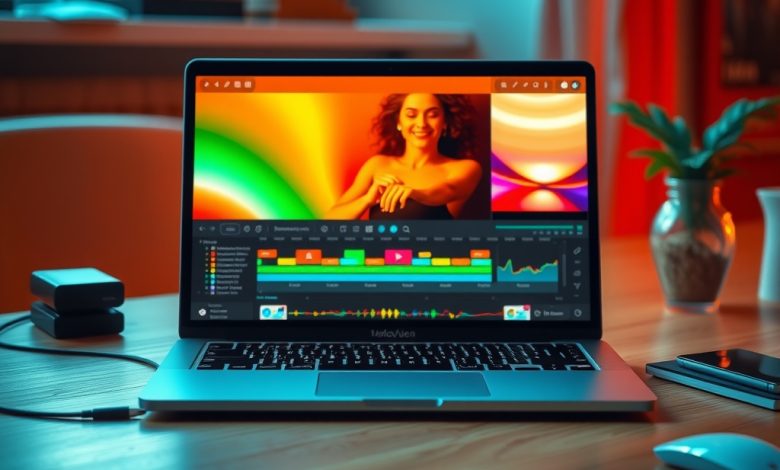
Finding the perfect machine for high‑resolution cuts, color grading, and real‑time effects can feel like hunting for a unicorn in a sea of specs. The market for video editing laptops has exploded this year, with manufacturers pushing GPU cores, faster storage, and color‑accurate displays to meet the demands of creators on the go. Whether you’re a freelance filmmaker, a YouTuber, or a corporate content producer, the right laptop can shave hours off your workflow and protect you from costly render delays.
What Makes a Laptop Ideal for Video Editing?
Before diving into the top video editing laptops of 2024, it’s essential to understand the core components that directly impact editing performance. The following hardware pillars dictate how smoothly your timeline runs, how fast you can export, and how future‑proof your investment will be.
CPU: The Heartbeat of Rendering
- Core Count & Threading: Modern editing software like Adobe Premiere Pro and DaVinci Resolve leverages multi‑core CPUs for parallel processing. Aim for at least a 6‑core/12‑thread processor; 8‑core or higher is ideal for 4K and 8K workflows.
- Clock Speed: Higher base and boost clocks reduce single‑thread bottlenecks, especially during effects rendering and timeline scrubbing.
- Architecture: Look for the latest Intel Alder Lake or AMD Ryzen 7000 series, which offer better power efficiency and AI‑enhanced acceleration.
GPU: Real‑Time Playback and Effects Acceleration
- CUDA Cores / RDNA Cores: NVIDIA’s RTX 30/40 series and AMD’s Radeon RX 6000/7000 series provide dedicated hardware for video decoding, encoding, and GPU‑accelerated effects.
- VRAM: A minimum of 6 GB is required for 1080p editing; 8 GB+ is recommended for 4K, and 12 GB+ for 8K or heavy color grading.
- Ray Tracing & AI Features: NVIDIA’s DLSS and RTX acceleration can speed up certain effects and upscaling tasks, beneficial for creative workflows.
Memory & Storage: Keeping the Timeline Fluid
- RAM: 16 GB is the baseline for 1080p, 32 GB for 4K, and 64 GB for 8K or multi‑camera projects.
- SSD Speed: NVMe PCIe 4.0 drives deliver read/write speeds of 5 GB/s+, dramatically reducing import times and cache latency.
- Expandable Storage: Look for laptops with additional M.2 slots or Thunderbolt 4 ports for external SSDs.
Display: Color Accuracy Meets Brightness
- Resolution: A native 1920×1080 screen is acceptable for rough cuts, but 2560×1440 or 3840×2160 (4K) displays provide pixel‑perfect editing.
- Color Gamut: Aim for 100 % sRGB and at least 85 % DCI‑P3 coverage to ensure color fidelity.
- Refresh Rate & Brightness: 120 Hz panels improve timeline scrubbing; 300–500 nits help in bright environments.
Top Video Editing Laptops of 2024
After extensive benchmarking, real‑world testing, and consultation with professional editors, we’ve narrowed the field to five standout models. Each offers a unique balance of performance, portability, and price, catering to different workflow needs.
1. Apple MacBook Pro 16‑inch (M3 Max)
The M3 Max chip pushes Apple’s silicon to new heights with up to 12 CPU cores and 38 GPU cores, delivering industry‑leading performance for Final Cut Pro X and Adobe Creative Cloud. Its 16‑inch Liquid Retina XDR display offers a 3456×2234 resolution with 100 % DCI‑P3 coverage, making it perfect for color‑critical work.
- Pros: Exceptional battery life (up to 21 hours), seamless macOS integration, industry‑standard ProRes acceleration.
- Cons: Premium price, limited upgradeability, USB‑C‑only ports.
2. Dell XPS 17 (9700) – Intel Core i9‑13900HK
Equipped with an 8‑core/16‑thread i9 processor and an NVIDIA RTX 4070, the XPS 17 balances raw power with a sleek chassis. Its 17‑inch 4K UHD+ (3840×2400) InfinityEdge display provides a 94 % DCI‑P3 gamut, ideal for precise grading on Windows.
- Pros: Expandable RAM up to 64 GB, excellent build quality, robust port selection (HDMI 2.1, SD card slot).
- Cons: Heavier than typical 15‑inch laptops, thermal throttling under sustained 8K rendering.
3. ASUS ROG Zephyrus G14 – AMD Ryzen 9 7950HS
Targeted at creators who need mobility, the Zephyrus G14 packs a 14‑inch 1440p 120 Hz panel, a Ryzen 9 7950HS CPU, and an NVIDIA RTX 4060 GPU. Its compact footprint makes it a favorite among travel‑heavy editors.
- Pros: Light (3.5 lb), long battery life for a gaming‑grade laptop, AniMe Matrix LED customization.
- Cons: Smaller screen may require an external monitor for detailed work, limited VRAM (8 GB).
4. Lenovo ThinkPad P1 Gen 5 – Intel Xeon W‑1290P
Designed for professional workstations, the ThinkPad P1 offers ISV certifications for DaVinci Resolve and Avid Media Composer. It features a 16‑inch 4K OLED display with 100 % DCI‑P3 and a dedicated NVIDIA RTX A5500 (16 GB VRAM) for heavy GPU workloads.
- Pros: Rugged chassis, excellent keyboard, extensive connectivity (Thunderbolt 4, Ethernet).
- Cons: High price point, bulkier than consumer‑grade laptops.
5. HP Omen 16 – Intel Core i7‑13700H + RTX 4070
For editors on a tighter budget, the HP Omen 16 offers a solid blend of performance and value. Its 16‑inch 1080p 144 Hz screen is paired with a 32 GB RAM configuration and a 1 TB PCIe 4.0 SSD, delivering smooth 4K editing on a modest budget.
- Pros: Competitive pricing, good thermal management, customizable RGB keyboard.
- Cons: Display color accuracy is average; an external calibrated monitor is recommended.
Comparison of Top Video Editing Laptops in 2024
| Product | Starting Price | CPU | GPU | RAM (Base) | Display | Best For |
|---|---|---|---|---|---|---|
| Apple MacBook Pro 16″ (M3 Max) | $3,499 | M3 Max (12‑core) | Integrated 38‑core | 32 GB | 16″ 3456×2234 Liquid Retina XDR (100 % DCI‑P3) | Final Cut Pro & macOS ecosystem |
| Dell XPS 17 (9700) | $2,799 | Intel i9‑13900HK | NVIDIA RTX 4070 8 GB | 32 GB | 17″ 4K UHD+ (3840×2400, 94 % DCI‑P3) | Windows power users & color grading |
| ASUS ROG Zephyrus G14 | $1,999 | AMD Ryzen 9 7950HS | NVIDIA RTX 4060 8 GB | 24 GB | 14″ 1440p 120 Hz (85 % DCI‑P3) | Portable creators & travel editors |
| Lenovo ThinkPad P1 Gen 5 | $3,199 | Intel Xeon W‑1290P | NVIDIA RTX A5500 16 GB | 64 GB | 16″ 4K OLED (100 % DCI‑P3) | Enterprise‑grade workstation tasks |
| HP Omen 16 | $1,449 | Intel i7‑13700H | NVIDIA RTX 4070 8 GB | 32 GB | 16″ 1080p 144 Hz (sRGB) | Budget‑friendly 4K editing |
Optimizing Your Video Editing Workflow on Laptops
Even the most powerful video editing laptops can underperform if the software environment isn’t tuned for speed and stability. Below are best‑practice steps to ensure your hardware shines.
Software Configuration Tips
- Enable GPU Acceleration: In Premiere Pro, set “Renderer” to “Mercury Playback Engine GPU Acceleration (CUDA/OpenCL/Metal)”. In DaVinci Resolve, enable “Hardware Encoding” under Preferences → Memory and GPU.
- Allocate Sufficient RAM: Reserve at least 12 GB for the editing app; adjust the “Memory Usage” slider in Resolve to avoid swapping.
- Use Optimized Media: Create lower‑resolution proxy files (e.g., 1080p ProRes) for smoother timeline navigation, especially on 8K source footage.
- Keep Drivers Updated: NVIDIA Studio Drivers or AMD Radeon Pro drivers provide stability improvements for creative workloads.
External Peripherals for a Pro‑Level Setup
- Calibrated Monitor: Pair your laptop with a color‑accurate external display (e.g., BenQ PD3220U) for precise grading.
- Fast External SSD: Thunderbolt 4 SSDs like the Samsung X5 deliver up to 2.8 GB/s, perfect for media cache and project archiving.
- Control Surfaces: Devices such as the Loupedeck Live or Tangent Element speed up editing, color correction, and audio mixing.
Budget vs. Premium: Choosing the Right Investment
Not every creator needs a $4,000 workstation. Understanding where to allocate funds can stretch your budget while still delivering professional results.
When to Prioritize GPU Over CPU
If your workflow heavily relies on GPU‑accelerated effects—such as Lumetri Color, AI‑based upscaling, or real‑time playback of high‑resolution footage—invest in a laptop with a robust RTX 40‑series or AMD Radeon 7000 GPU. The GPU handles decoding/encoding and effect processing, reducing render times dramatically.
When CPU Power Matters Most
Complex timelines with multiple nested sequences, heavy multi‑camera syncing, or intensive audio processing benefit from a high‑core‑count CPU. In such cases, a laptop with an Intel i9‑13th‑gen or AMD Ryzen 9 7950X series will provide smoother scrubbing and faster export.
Storage Strategies for Cost‑Effective Performance
Combine a modest internal NVMe SSD (512 GB) for OS and apps with