Top Smartwatch Picks 2024 for Fitness and Productivity
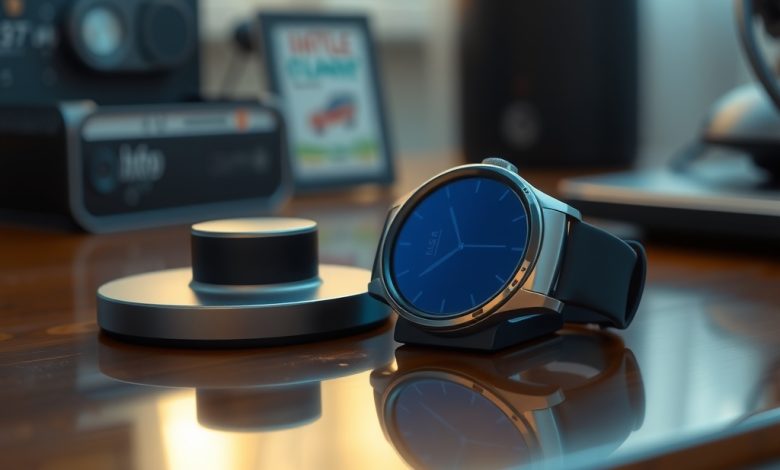
The wearable market is exploding, and 2024 is shaping up to be the year that the smart watch truly becomes an indispensable extension of both our bodies and our workflows. Whether you’re logging a marathon‑length run, juggling meetings on the go, or simply trying to stay on top of your health metrics, the right device can turn a casual hobby into a data‑driven habit. In this guide we’ll break down the most compelling options, highlight the features that matter most for fitness and productivity, and give you a clear roadmap for setting up and protecting your new companion.
Why Smart Watches Are Dominating Fitness and Productivity in 2024
Modern smart watch platforms have evolved far beyond basic step counters. Integrated GPS, on‑device AI, and seamless cloud sync mean athletes can analyze performance in real time, while professionals can manage calendars, emails, and voice commands without pulling out a phone.
Key drivers include:
- Improved battery life that easily lasts a full week of mixed use.
- Health‑grade sensors capable of measuring blood oxygen, ECG, and even stress levels.
- Cross‑platform ecosystems that let you switch between iOS, Android, and desktop environments without losing data.
These advancements make the wearable a central hub for both personal wellness and workplace efficiency.
Key Features to Evaluate When Choosing a Smart Watch
Before you click “add to cart,” assess the following criteria to ensure the device aligns with your goals.
Fitness‑Focused Sensors
- Heart‑rate monitoring accuracy (opt for medical‑grade sensors).
- Built‑in GPS for outdoor activities.
- Advanced metrics such as VO₂ max, lactate threshold, and sleep staging.
Productivity Tools
- Native support for calendar, email, and task‑management apps.
- Voice assistant integration (Google Assistant, Siri, Alexa).
- Standalone LTE/5G connectivity for calls and messages without a phone.
Battery and Charging
- Typical endurance of 5–10 days for mixed usage.
- Fast‑charge capabilities (80% in under an hour).
- Wireless or magnetic charging docks for convenience.
Software Ecosystem & Security
- Regular OTA updates to patch vulnerabilities.
- Data encryption at rest and in transit.
- Compatibility with third‑party health platforms (Apple Health, Google Fit, Strava).
Top Smart Watch Picks for Fitness Enthusiasts
If your primary goal is to push your physical limits, these three models deliver the most accurate tracking and robust coaching features.
1. Garmin Fenix 7 Solar
The Fenix 7 Solar combines rugged design with solar‑assisted battery life, delivering up to 24 days of use in smartwatch mode. Its multisport profiles cover everything from trail running to scuba diving.
- Precision GPS with multi‑GNSS support.
- Pulse Ox, ECG, and body battery energy monitoring.
- Customizable training plans via Garmin Coach.
2. Apple Watch Ultra
Apple’s most durable offering, the Ultra, is built for extreme sports while retaining the seamless integration of watchOS for health insights.
- Dual‑frequency GPS for reduced drift.
- Depth gauge and water‑resistant to 100 m.
- Action button for instant access to workouts.
3. Samsung Galaxy Watch 6 Classic
Samsung’s flagship blends a classic analog aesthetic with powerful health tracking, making it a great choice for users who want style without sacrificing data depth.
- BioActive Sensor Suite (HR, ECG, BIA body composition).
- Advanced sleep coaching with AI‑driven recommendations.
- Rotating bezel for intuitive navigation.
Comparison of Fitness‑Focused Smart Watches
| Product/Tool | Starting Price | Key Feature | Pros | Cons | Best For |
|---|---|---|---|---|---|
| Garmin Fenix 7 Solar | $749 | Solar‑assisted battery, multisport GPS | Exceptional durability, long battery, deep metrics | Bulky design, pricier than competitors | Adventure athletes, ultramarathoners |
| Apple Watch Ultra | $799 | Dual‑frequency GPS, 100 m water resistance | Rich app ecosystem, smooth UI, cellular option | iOS‑only, higher price | iPhone users needing extreme sport features |
| Samsung Galaxy Watch 6 Classic | $429 | BioActive sensor suite, rotating bezel | Elegant design, solid Android integration | Limited third‑party apps compared to watchOS | Android users who value style and health insights |
Best Smart Watch Options for Productivity Power Users
When the calendar fills up faster than your inbox, a smart watch that streamlines communication and task management becomes a game‑changer. Below are the top choices for professionals who need to stay on top of meetings, emails, and quick notes.
1. Apple Watch Series 9
The latest iteration of Apple’s flagship offers a bright always‑on display and a new S9 chip that accelerates on‑device AI for predictive text and Siri shortcuts.
- Seamless integration with macOS and iOS.
- Focused “Glance” widgets for calendar, reminders, and email.
- Advanced privacy controls (App Tracking Transparency).
2. Google Pixel Watch
Google’s first smartwatch leverages Material You design and deep integration with Google Workspace, making it ideal for G‑suite power users.
- Google Assistant with proactive suggestions.
- Live Translate for real‑time language assistance.
- Fitbit health tracking baked in.
3. Fitbit Sense 2
Fitbit’s premium model focuses on stress management and mental wellness while still delivering solid productivity features.
- Built‑in voice assistant (Google Assistant or Alexa).
- Smart notifications with quick replies.
- Stress Management Score with guided breathing.
Comparison of Productivity‑Focused Smart Watches
| Product/Tool | Starting Price | Key Feature | Pros | Cons | Best For |
|---|---|---|---|---|---|
| Apple Watch Series 9 | $399 | S9 chip, always‑on Retina display | Fast performance, robust app ecosystem | Only works with iPhone | iOS professionals needing premium apps |
| Google Pixel Watch | $349 | Material You UI, Google Workspace sync | Deep Android integration, sleek design | Battery life ~24 hrs under heavy use | Android users in Google’s ecosystem |
| Fitbit Sense 2 | $299 | Stress Management Score, health insights | Strong wellness features, good battery | Limited third‑party productivity apps | Wellness‑focused professionals |
Setting Up and Securing Your Smart Watch
Even the most feature‑rich device can become a liability if not configured correctly. Follow these steps to lock down your data and get the most out of your new wearable.
Initial Pairing and Account Linking
- Download the official companion app (WatchOS, Wear OS, or Garmin Connect).
- Create a dedicated device password or PIN separate from your phone lock.
- Enable two‑factor authentication on the companion app’s account.
Privacy Settings and Permissions
- Review location permissions – limit GPS access to “While Using App” unless continuous tracking is needed.
- Turn off “Share Activity” with third parties unless you use a social fitness platform.
- Encrypt health data at rest – most major platforms enable this by default.
Battery Optimization Tips
- Activate “Power Saving” mode during overnight sleep tracking.
- Disable always‑on display if you don’t need constant time readouts.
- Use the solar charging feature (if available) to extend battery life on the go.
Regular Maintenance
Schedule monthly OTA updates, clean the sensor area with a lint‑free cloth, and replace the watch band if you notice skin irritation. Consistent upkeep ensures accurate readings and prolongs device lifespan.
Future Trends: What to Expect from Smart Watches in 2025 and Beyond
Looking ahead, the next generation of wearables will blur the line between device and body even further.
- On‑device AI inference: Real‑time health insights without needing cloud processing, reducing latency and privacy risks.
- Advanced biometrics: Non‑invasive glucose monitoring, hydration sensors, and continuous blood pressure tracking.
- Modular designs: Swappable sensor pods that let you upgrade capabilities without buying a whole new watch.
- Extended reality integration: Mini‑projectors or AR overlays for heads‑up navigation and contextual data.
Manufacturers that prioritize open standards and robust security will lead the market, especially as corporate wellness programs begin to mandate device‑level health data for remote workforce monitoring.
FAQ
Is a smart watch safe to use for sensitive health data?
Yes, provided you enable device encryption, use strong passwords, and keep the firmware up to date. Most major brands store health metrics in encrypted containers and sync them over TLS to cloud services.
Which device offers the best performance for the price?
For a balanced mix of fitness and productivity, the Samsung Galaxy Watch 6 Classic delivers premium features at a mid‑range price point, making it the best value for most Android users.
How can I secure my smart watch against hacking?
Activate two‑factor authentication on the companion app, restrict unnecessary permissions, and avoid installing third‑party apps from unverified sources. Regular OTA updates are critical for patching known vulnerabilities.
Can I use a smart watch without a smartphone?
Some models, like the Apple Watch Ultra with cellular or Garmin’s LTE-enabled devices, can operate independently for calls, messaging, and GPS tracking. However, full functionality (app installs, detailed analytics) typically requires a paired phone.
Do smart watches affect sleep quality?
Most modern wearables have a “sleep mode” that