Top AI Photo Editors That Transform Your Images Instantly
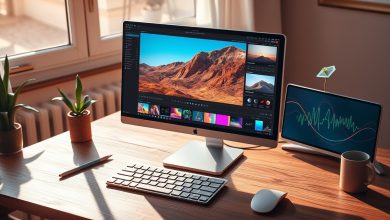
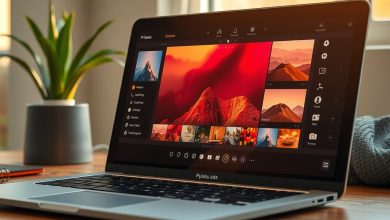
In the age of visual storytelling, the line between a good photo and a great one can be a single click away. Thanks to the rapid evolution of machine learning, AI photo editors are now capable of turning ordinary snapshots into professional‑grade images in seconds. Whether you’re a social media influencer, a freelance designer, or just someone who loves polishing family pictures, these intelligent tools promise to automate tedious adjustments while preserving creative control. In this article we’ll explore how AI photo editors work, what features truly matter, and which platforms deliver the best value for every budget.
Why AI Photo Editors Are Redefining Image Editing
Traditional photo‑editing software requires manual tweaks—exposure sliders, brush tools, layer masks—that can take minutes or even hours to perfect. AI photo editors, on the other hand, analyze the content of an image using deep neural networks and apply context‑aware enhancements automatically. This shift delivers three core benefits:
- Speed: One‑click fixes replace repetitive manual adjustments.
- Accessibility: Users with limited design experience can achieve professional results.
- Consistency: AI models apply the same style across large batches, ideal for branding.
Beyond convenience, AI‑driven tools are also expanding creative possibilities. Generative models can add or remove objects, change lighting conditions, and even re‑imagine a scene in a different artistic style—all without the need for Photoshop‑level expertise.
Key Features to Look for in AI Photo Editors
Not every AI‑powered editor offers the same toolkit. When evaluating options, focus on the following capabilities to ensure the software aligns with your workflow:
- Content‑aware fill & removal: Seamlessly erase unwanted elements while preserving background texture.
- One‑click enhancement presets: AI‑driven auto‑adjustments for exposure, color balance, and sharpness.
- Style transfer & artistic filters: Convert photos into paintings, sketches, or cinematic looks using generative AI.
- Batch processing: Apply the same edits to multiple files, saving time for large projects.
- Layer support & non‑destructive editing: Ability to revert changes or fine‑tune AI suggestions.
- Privacy controls: Local processing options or clear data‑handling policies to protect user images.
- Integration & export flexibility: Compatibility with popular formats (RAW, PNG, SVG) and cloud storage services.
Top AI Photo Editors in 2024
Below is a curated list of the most popular AI photo editors currently available, each excelling in different aspects of image manipulation.
Comparison of Leading AI Photo Editors
| Product/Tool | Starting Price | Key Feature | Pros | Cons | Best For |
|---|---|---|---|---|---|
| Adobe Firefly (Beta) | Free (limited credits) | Generative text‑to‑image & style transfer | Industry‑grade AI, seamless Creative Cloud integration | Credit system can be restrictive for heavy users | Professional designers & marketers |
| Luminar Neo | $79 (one‑time) / $7.99/mo | AI Sky Replacement & Structure AI | Powerful local processing, intuitive UI | Higher learning curve for advanced tools | Photographers seeking creative control |
| Canva Magic Edit | Free / $12.99/mo (Pro) | Background removal & AI image upscaling | Web‑based, collaborative, vast template library | Limited RAW support, internet required | Social media managers & small businesses |
| Pixlr X AI | Free / $5/mo (Premium) | AI auto‑enhance & object eraser | Fast browser interface, no installation | Fewer advanced features compared to desktop apps | Casual users & quick edits |
| Skylum Aurora AI | $99 (one‑time) / $9.99/mo | AI portrait retouch & skin smoothing | Specialized for portrait workflows, batch mode | Performance can lag on older PCs | Portrait photographers & influencers |
Each of these editors leverages deep learning models, but they differ in pricing structures, platform availability, and specialization. Below we dive deeper into the standout capabilities of the top three solutions.
Adobe Firefly: The Creative Cloud Powerhouse
Adobe’s AI research division introduced Firefly as a suite of generative tools that integrate directly into Photoshop and Illustrator. Its text‑to‑image generator can create assets from simple prompts, while the “Generative Fill” feature allows users to add or replace elements without leaving the canvas. Because it’s built on Adobe’s cloud infrastructure, Firefly benefits from continuous model updates and tight integration with other Creative Cloud apps.
- Best use case: Designing marketing visuals where unique graphics are needed on the fly.
- Security note: Adobe processes images on secure servers; users can opt‑out of data collection for training.
Luminar Neo: AI‑First Desktop Editing
Skylum’s Luminar Neo focuses on photographers who want powerful AI tools without a steep learning curve. The “Structure AI” intelligently enhances details while protecting skin tones, and the “Sky AI” can replace a dull sky with a dramatic sunset in seconds. All processing occurs locally, which appeals to privacy‑concerned users.
- Best use case: Landscape and travel photography where sky replacement and detail enhancement are common.
- System requirements: Requires a GPU with at least 2 GB VRAM for optimal performance.
Canva Magic Edit: The All‑In‑One Online Solution
Canva’s Magic Edit leverages AI to simplify background removal, image upscaling, and quick retouches directly in the browser. Its drag‑and‑drop interface makes it ideal for marketers and social media managers who need to produce eye‑catching visuals quickly. The platform also offers a massive library of templates, stock photos, and fonts, all powered by AI recommendations.
- Best use case: Creating branded social posts, flyers, and presentations without installing software.
- Data handling: Canva stores assets on encrypted cloud storage; users can delete files permanently from the dashboard.
How to Choose the Right AI Photo Editor for Your Workflow
Selecting a tool isn’t just about price; it’s about matching capabilities to your daily tasks. Follow this decision‑making framework to narrow down the options:
- Identify your primary use case. Are you editing portraits, landscapes, or creating marketing graphics?
- Assess platform compatibility. Do you need a web‑based solution, a Windows/Mac desktop app, or a mobile version?
- Determine processing preferences. Local GPU‑accelerated editing ensures privacy, while cloud‑based services offer convenience and collaboration.
- Budget analysis. Factor in subscription costs, one‑time fees, and any hidden credit systems (as seen with Adobe Firefly).
- Trial before you commit. Most vendors provide a free tier or a 14‑day trial—use it to test AI accuracy on your typical images.
For example, a freelance portrait photographer might prioritize Skylum Aurora AI’s skin‑smoothing capabilities and batch processing, while a digital marketer could benefit more from Canva’s collaborative environment and template ecosystem.
Privacy, Security, and Ethical Considerations
AI photo editors process visual data that may contain personal or proprietary information. Here are essential safeguards to keep your images secure:
- Local vs. cloud processing: Choose software that performs AI inference on your device if you handle sensitive material.
- Data retention policies: Review the vendor’s terms—some services store edited images for model training unless you opt out.
- Copyright compliance: Generative AI can inadvertently replicate copyrighted styles; ensure you have usage rights for commercial outputs.
- Secure export: Export files using encrypted formats (e.g., PNG with password protection) when sharing with clients.
Most reputable providers now offer clear privacy dashboards where you can delete stored data and control whether your uploads contribute to future AI training sets. Always enable two‑factor authentication on your account to prevent unauthorized access.
Future Trends in AI-Powered Image Editing
The next wave of AI photo editors will likely focus on three emerging trends:
- Real‑time video editing: Extending AI enhancements from still images to live streams and recorded footage.
- Multimodal creativity: Combining text, audio, and visual prompts to generate composite media—imagine describing a scene and having the editor create it from scratch.
- Personalized AI models: Users will be able to train custom AI filters on their own image libraries, ensuring a unique brand aesthetic.
Keeping an eye on these developments will help professionals stay ahead of the curve and leverage AI not just as a shortcut, but as a strategic creative partner.
FAQ
Is it safe to upload my personal photos to an AI photo editor?
Most reputable AI editors encrypt data in transit and at rest. If privacy is a concern, prefer tools that process images locally (e.g., Luminar Neo) or verify that the service offers an opt‑out from data collection for model training.
Which AI photo editor offers the best value for a small business?
Canva Magic Edit provides a free tier with essential AI features and a low‑cost Pro plan that includes unlimited exports and brand kit management, making it ideal for budget‑conscious businesses.
Can AI photo editors replace professional Photoshop workflows?
AI tools excel at rapid enhancements and repetitive tasks, but they often lack the granular control of Photoshop’s layer‑based workflow. For complex compositing, Photoshop remains the industry standard, while AI editors complement it by handling bulk edits.
Do AI photo editors work on mobile devices?
Yes. Many platforms, such as Adobe Firefly and Pixlr X AI, offer iOS and Android apps that bring one‑click enhancements to the pocket, though performance may vary based on device hardware.
How do I ensure my edited images are copyright‑compliant?
Use AI tools that generate original content rather than remixing existing copyrighted material. Always verify the licensing terms of any stock assets incorporated by the editor and retain original source files for proof of ownership.