Best Smartwatch Features to Boost Your Fitness and Productivity
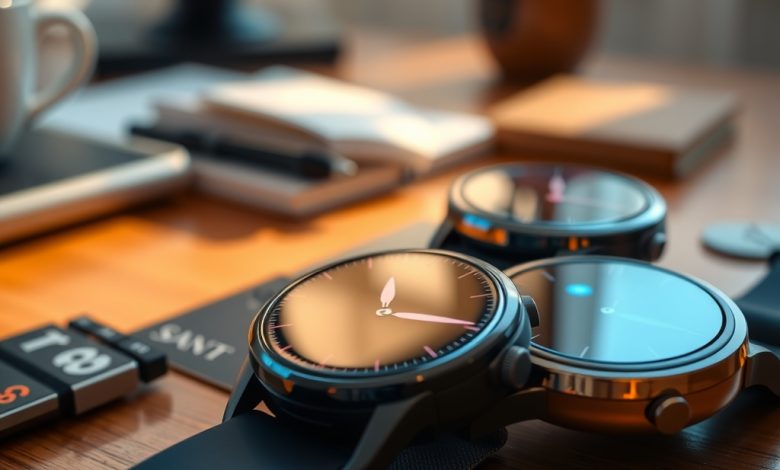
The wearable market has exploded, and today a smartwatch is as essential to a healthy lifestyle as a gym membership or a good pair of running shoes. In the sea of smartwatch reviews, it can be hard to separate hype from genuine value, especially when you’re juggling workouts, meetings, and personal time. Whether you’re a marathon‑training athlete, a busy professional, or a tech‑savvy hobbyist, the right wrist‑bound companion can boost both fitness outcomes and daily productivity.
Why a Smartwatch Is More Than a Timepiece
Modern smartwatches have evolved from simple notification displays into powerful health hubs and productivity assistants. They now offer continuous heart‑rate monitoring, sleep analysis, on‑device GPS, and even stress‑level tracking—all while keeping you connected to emails, calendars, and voice assistants.
- Instant data access: No need to pull out your phone during a run; metrics appear on your wrist in real time.
- Seamless workflow integration: Calendar alerts, meeting reminders, and voice‑controlled task lists keep you on schedule.
- Motivation through gamification: Badges, challenges, and social leaderboards turn fitness into a competitive, rewarding experience.
Understanding these capabilities helps you evaluate a device beyond its aesthetic appeal, ensuring you pick a smartwatch that truly enhances your health and work habits.
Core Features to Look for in Smartwatch Reviews
Health & Fitness Tracking
When scanning smartwatch reviews, prioritize sensors and software that deliver accurate, actionable insights.
- Heart‑rate monitoring: Look for 24/7 optical sensors with medical‑grade accuracy.
- VO2 max & cardio fitness score: Provides a snapshot of aerobic capacity, useful for endurance athletes.
- Sleep staging: Differentiates light, deep, and REM cycles for better recovery planning.
- Built‑in GPS: Essential for outdoor activities; ensures distance and pace data aren’t reliant on a phone.
- Blood oxygen (SpO₂) and ECG: Advanced health metrics for users with specific medical monitoring needs.
Productivity Tools
Beyond fitness, the best smartwatches act as extensions of your smartphone and laptop.
- Smart notifications: Filterable alerts for calls, messages, and app updates.
- Voice assistants: Siri, Google Assistant, or Bixby for hands‑free commands.
- Calendar & task sync: Automatic syncing with Google Calendar, Outlook, or Todoist.
- Music & podcast control: Stream or skip tracks without reaching for your phone.
- Contactless payments: NFC support for secure, tap‑to‑pay transactions.
Battery Life & Charging
Battery endurance can make or break the user experience. Look for devices that promise at least one full day of heavy use, and consider fast‑charging or wireless charging options for convenience.
Operating System & App Ecosystem
A robust OS ensures longevity and a wide selection of third‑party apps. Wear OS, watchOS, and Samsung’s Tizen each have distinct strengths; your choice should align with the smartphone platform you already own.
Top Smartwatch Picks for 2024
After combing through dozens of smartwatch reviews, we’ve identified three models that consistently deliver on health tracking, productivity, and value.
Comparison of Leading 2024 Smartwatches
| Smartwatch | Starting Price | Key Feature | Pros | Cons | Best For |
|---|---|---|---|---|---|
| Apple Watch Series 9 | $399 | Advanced health sensors (ECG, Blood Oxygen) | Seamless iOS integration, extensive app store, bright always‑on display | Battery ~18 hrs, works only with iPhone | iPhone users seeking premium health insights |
| Samsung Galaxy Watch 6 Classic | $329 | Rotating bezel + LTE option | Robust Android compatibility, long battery (up to 40 hrs), stylish design | Limited third‑party apps compared to watchOS | Android enthusiasts who value classic watch aesthetics |
| Garmin Venu 3 | $299 | Accurate GPS + solar charging | Excellent fitness metrics, strong battery (up to 14 days), rugged build | Less polished UI, fewer productivity features | Serious athletes and outdoor adventurers |
Each of these devices excels in different scenarios. The Apple Watch Series 9 dominates in ecosystem integration and health analytics, while the Galaxy Watch 6 Classic offers a balanced mix of productivity and style for Android users. Garmin’s Venu 3 is the go‑to for endurance athletes who need precise GPS and extended battery life.
Setting Up Your Smartwatch for Maximum Efficiency
Initial Pairing and Software Updates
Start by installing the companion app (Watch app for iOS, Galaxy Wearable for Android, or Garmin Connect). Follow the on‑screen prompts to pair via Bluetooth, then immediately check for firmware updates—these often include bug fixes and new health algorithms.
Customizing Notifications
- Open the notification settings in the companion app.
- Toggle off non‑essential alerts (social media, games) to reduce wrist fatigue.
- Enable priority notifications for calls, messages from key contacts, and calendar events.
Optimizing Health Tracking
Configure the health dashboard to surface the metrics you care about most.
- Set daily step goals (e.g., 10,000 steps) and enable inactivity alerts.
- Activate sleep tracking and ensure the watch is worn snugly but comfortably.
- For heart‑rate zones, customize alerts for unusually high or low readings.
Productivity Shortcuts
Most platforms let you assign quick‑access gestures.
- Apple Watch: Use the “Shortcuts” app to launch a specific workflow (e.g., “Start Pomodoro”).
- Galaxy Watch: Assign a long‑press on the bezel to open your favorite task manager.
- Garmin: Set a custom widget to display upcoming calendar events at a glance.
Security & Privacy Considerations for Wearable Devices
Smartwatches handle sensitive health data and personal notifications, making security a top priority.
Data Encryption and Secure Pairing
Ensure the device uses end‑to‑end encryption for data sync. Most modern watches employ Bluetooth Low Energy (BLE) with secure pairing codes; avoid using generic or default passwords.
Permission Management
- Review app permissions regularly in the companion app—revoke access for apps you no longer use.
- Limit location sharing to “While Using the App” instead of “Always” when possible.
- Enable two‑factor authentication (2FA) for the companion app if supported.
Lost or Stolen Device Protocols
Activate “Find My Device” features (Apple’s Find My, Samsung’s Find My Mobile, or Garmin’s device tracking). These allow you to locate, lock, or wipe the watch remotely, protecting your health metrics and personal messages.
Regular Software Audits
Schedule monthly checks for firmware updates. Cybersecurity researchers frequently discover vulnerabilities in wearable OSes, and manufacturers typically patch them quickly.
Future Trends: What’s Next for Smartwatches?
As AI and sensor technology converge, upcoming smartwatches will become even more proactive.
- AI‑driven health insights: Predictive algorithms that suggest workout adjustments based on recovery trends.
- Advanced biometric sensors: Non‑invasive glucose monitoring and blood pressure measurement.
- Extended battery chemistry: Solid‑state batteries promising multi‑week runtimes.
- Modular designs: Swappable sensor bands for specialized activities (e.g., diving, skiing).
Keeping an eye on these developments helps you future‑proof your purchase and ensures you stay ahead of the curve in both fitness and productivity.
FAQ
Which smartwatch offers the best balance of fitness tracking and productivity?
The Apple Watch Series 9 provides the most comprehensive health sensors and seamless integration with productivity apps for iPhone users, while the Galaxy Watch 6 Classic offers a strong Android counterpart with a classic design.
How can I improve my smartwatch’s battery life?
Reduce screen brightness, limit always‑on display usage, turn off unnecessary notifications, and enable power‑saving modes during periods of low activity. Regularly update firmware to benefit from efficiency improvements.
Is my health data safe on a smartwatch?
Reputable manufacturers encrypt data in transit and at rest. To maximize safety, use strong passwords, enable two‑factor authentication on companion apps, and keep the device’s firmware up to date.
Can I use a smartwatch without a smartphone?
Some models, like the Garmin Venu 3 with LTE, allow limited standalone functionality (e.g., GPS, music streaming). However, most features—especially notifications and app sync—require a paired phone.
Do smartwatches work underwater?
Many modern watches are water‑resistant to at least 5 ATM (50 meters), making them suitable for swimming. Always verify the specific rating before diving or engaging in high‑pressure water activities.